Powerful AI. Your business. Your call.
You shouldn't have to carry the whole business yourself.
Start with a setup for your kind of business. Tell Rufio what is different about yours, then use it to keep customers, jobs, schedules, and invoices connected. When you need a change, describe it, review it, and decide when it is ready to use.
The work around the work
Running a business means a lot to keep track of.
You do the work customers pay you for. But you also answer calls, manage the calendar, prepare quotes, chase payments, update records, send reminders, and remember what needs to happen next.
Answering calls
Managing the calendar
Preparing quotes
Chasing payments
Updating records
Sending reminders
You know how the pieces fit together. Rufio helps keep them connected, with the details ready when you need them.
Choose what you want help with. Rufio helps carry the load.
Before & after
The same Tuesday, with and without Rufio.
An example of how Rufio can help with the work around your day, using the rules you choose.
The details, connected
One AI that learns how you run your business.
Customers, jobs, schedules, conversations, and money all affect each other. Rufio connects those details so one request can reach across your business, with the rules and approvals you set.
A connected request
The customer history stays attached.
Preferences, conversations, quotes, and follow-ups stay together, ready when you need the full story.
“What did the Johnsons ask for last time, and what should happen next?”
- RecordsCustomer history, conversations, quotes
- How Rufio can helpSummarize the history and prepare a next step for you to review
One request can move across the business — while keeping the decision with you.
Not a mockup
See the tools at your fingertips.
Screens captured from the running product with a populated example business. Every screen on this page is a product capture, not an illustration.
Rufio at work
Follow a request, check the customer history, build a tool, and set the approval rules. You can see and adjust the details at every step.
Organize work
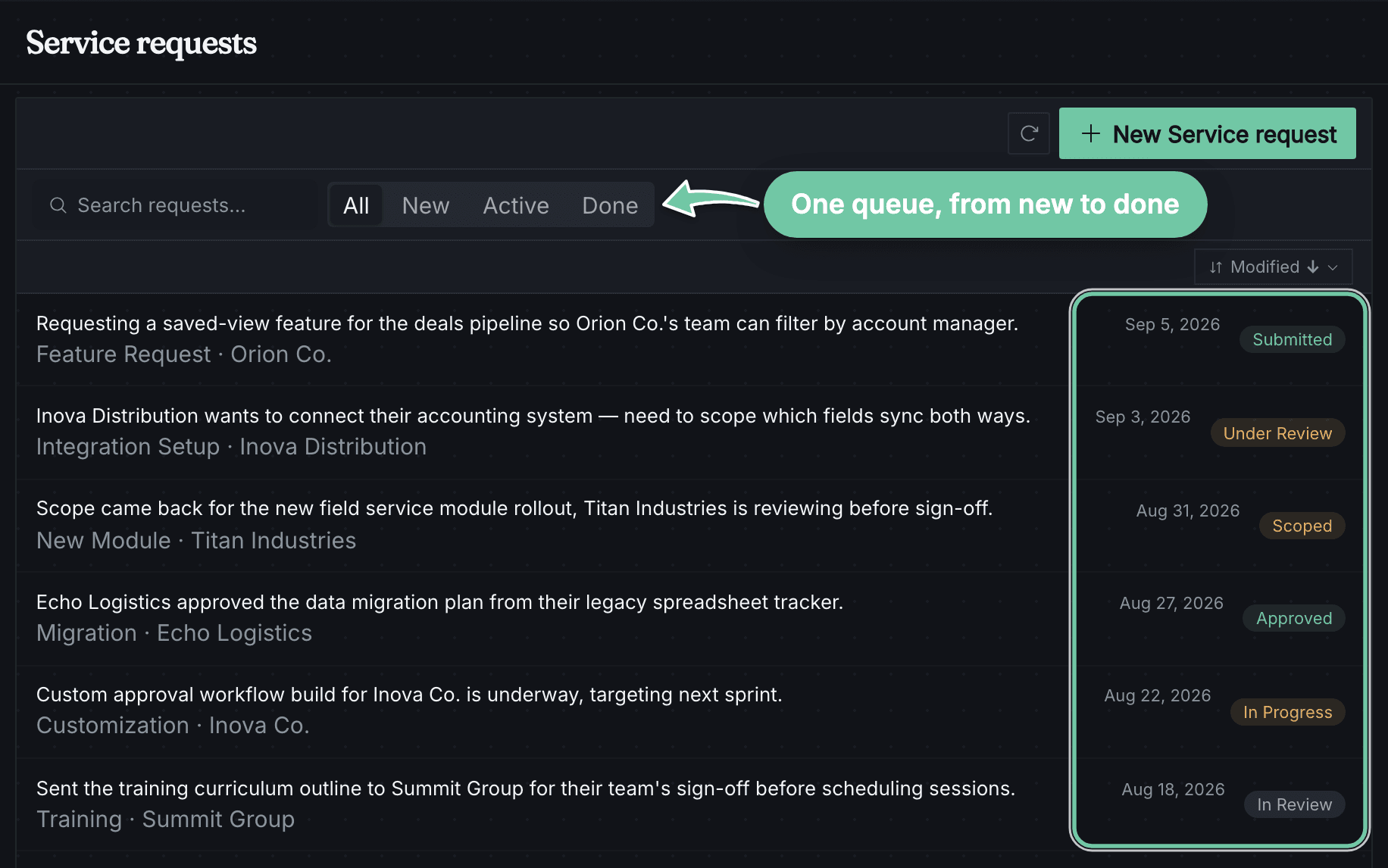
Work enters one queue—and keeps moving.
Requests retain the customer, the type of work, and their current state from submission through approval and execution.
Rufio beside your work
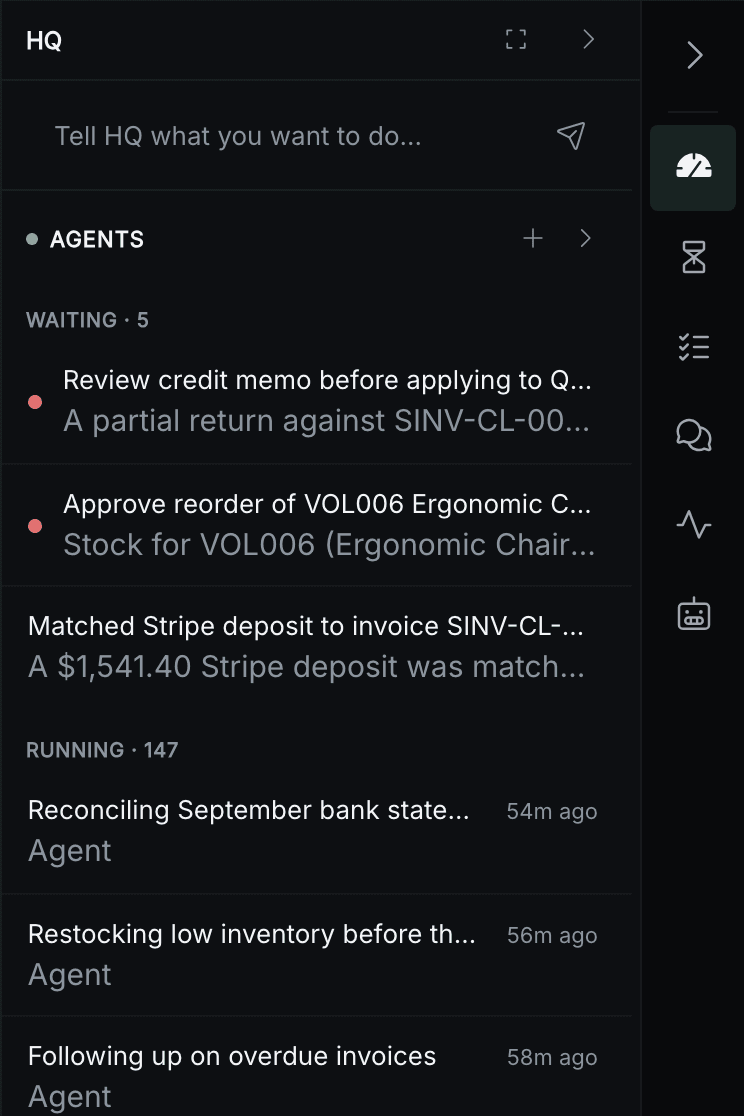
It sits beside whatever you are doing. Switch the same compact surface from the state of the business, to decisions waiting for you, to the automations already in motion.
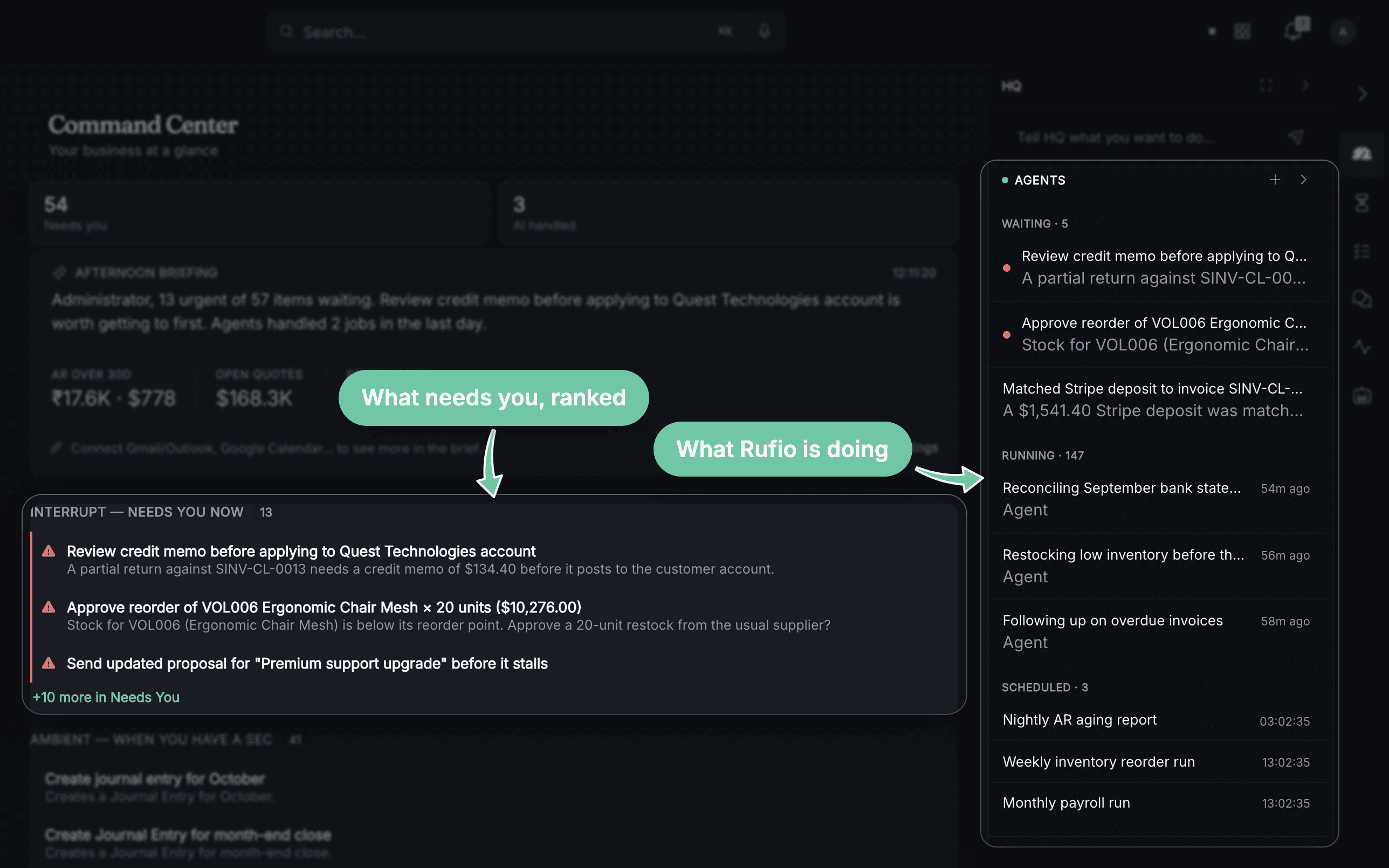
See what is happening today.
HQ brings together what is scheduled, what needs you, and what Rufio is already handling—without sending you through the underlying modules.
Getting started
Start with your kind of business. Make it yours.
Step one
Start with your kind of business
Rufio starts with the records, workflows, and language common to your kind of work.
Step two
Teach Rufio your way
You describe your prices, process, and exceptions in plain conversation.
Step three
Review the setup it prepares
See the rules, records, workflows, and tools Rufio proposes around your process. Adjust what needs changing before you use it.
Step four
Choose what Rufio can do
The boundaries and approvals you set stay part of how Rufio works.
Who's in control
You decide how much Rufio can do.
Rufio prepares work and waits for your approval.
You authorize the task. Rufio acts within your rules, then shows you the result.
Routines you enable run within your rules, with activity available to review.
Choose the level of help that fits each task. Rufio can recommend, prepare work for approval, or handle routine work within the boundaries you establish.
Keep any task at approval for as long as you like. Change the rules, adjust the level, or pause a routine whenever you need to.
Change the system as your business changes
Need a better way to do this? Tell Rufio.
Describe the result you need. Rufio prepares a supported change for you to inspect, correct, and approve before it affects the work your business does.
01
Ask
“Before scheduling a gate installation, collect the gate width, access notes, and customer photos.”
02
Review
See the proposed questions and where the information will appear.
03
Adjust
Correct the wording or rule before approving it.
04
Use
The next gate installation uses the approved setup and shows what is still missing.
Forms
A booking form with your questions, your way
Workflows
A follow-up sequence with the timing, messages, and approvals you choose
Dashboards
The metrics you check every morning, live and automatic
Reports
The report you check every Friday, automated
Print formats
A document that carries your business into the real world
Web pages
A clear page for the service customers are looking for
Web forms
A form that sends the right information to the right place
Rufio can help finish the company-specific setup, change an existing process, or make a supported tool you are missing. The example below illustrates a workflow change; use the resulting form, workflow, report, or page only after you have reviewed it.
Scroll within the conversation or diagram to explore the example.
Explore supported capabilities →See what becomes possible with Rufio beside you.
Join a small founding cohort. We’ll work with you to shape Rufio around your business.